Introduction
Patient sits in your chair. Treatment plan: $8,000 implant. Patient says: "Let me think about it."
Translation: "I don't understand why I need this, and it feels expensive."
You didn't lose that case because of price. You lost it because of uncertainty.
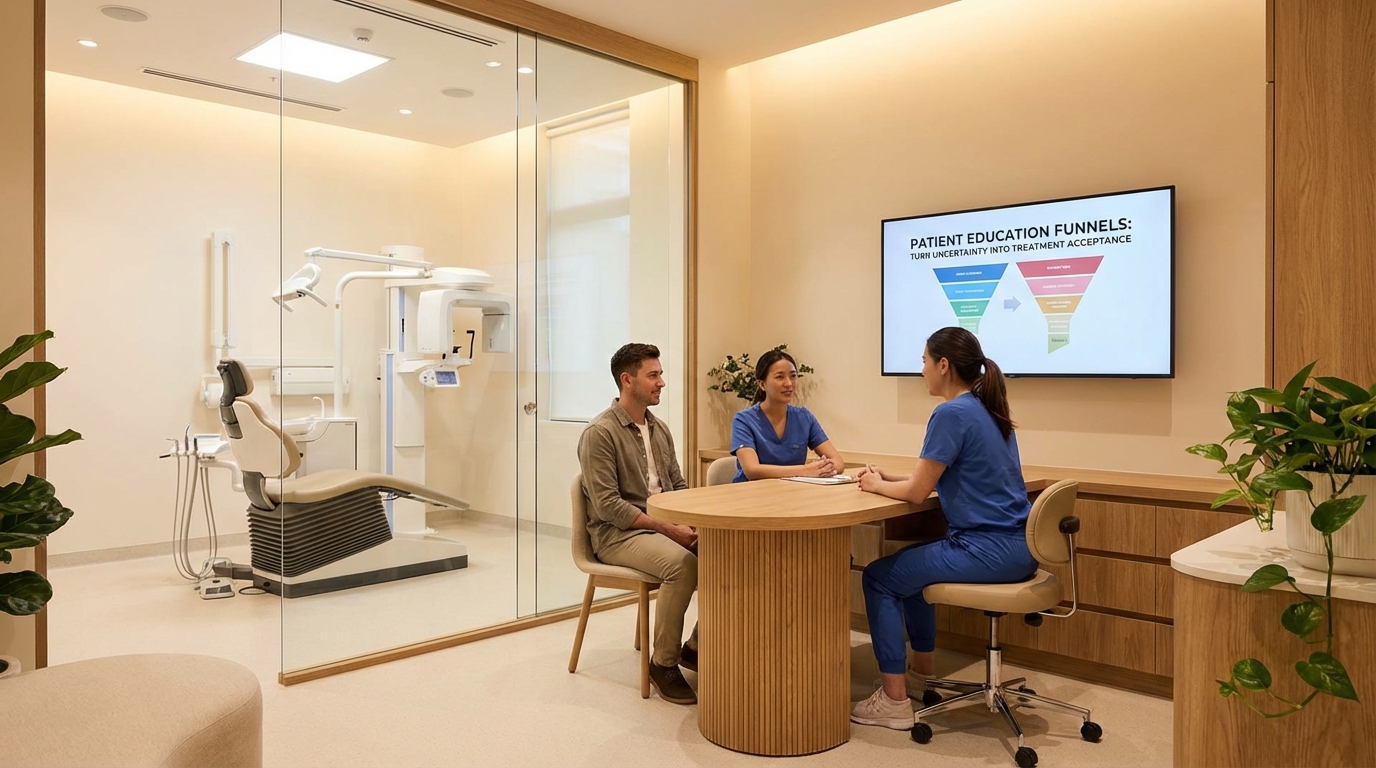
The solution: Education funnels. Multi-touch content that explains treatment, addresses fears, and guides patients toward acceptance.
This guide covers:
- Three-stage education model (awareness → consideration → decision)
- Content types (educational videos, before/afters, testimonials, comparisons)
- Multi-touch sequences (email, SMS, in-office materials)
- Objection handling (cost, time, alternatives, fear)
- Consent + acceptance systems (removing final friction)
1. Three-Stage Education Funnel
Guide Patients Through Decision Stages
Patient education isn't one-off—it's a journey.
Stage 1: Awareness (Patient realizes they have a problem)
- Goal: Help patient understand their condition
- Content: "What is a missing tooth?" "Why do implants matter?"
- Channel: Blog, video, social media, first appointment
- Tone: Educational, not salesy
- Example: "5 reasons patients choose implants over bridges"
Stage 2: Consideration (Patient explores options)
- Goal: Help patient compare their options
- Content: "Implants vs. bridges vs. dentures" (comparison, not "implants are best")
- Channel: Email sequences, detailed consultation, printed guides
- Tone: Helpful guide, not sales pitch
- Example: Comparison chart showing cost, durability, maintenance for each option
Stage 3: Decision (Patient chooses treatment)
- Goal: Remove final objections and enable commitment
- Content: Financing options, timeline, what to expect, consent forms
- Channel: In-office consultation, written guides, phone calls
- Tone: Supportive, clear, confidence-building
- Example: "What happens the week before your implant surgery" (removes fear)
Key principle: Don't jump stages. If patient is in Awareness stage, don't attack them with price objections. Lead them through education first.
2. Content Types: Build Your Education Library
Seven Content Pillars
Create content for each education stage:
-
Educational explainers (What is this?):
- "What is a dental implant?"
- "Why do tooth roots matter?"
- "What happens during an extraction?"
- Format: 2–3 minute videos, blog posts (1,000 words)
- Goal: Patient understands condition + basic facts
-
Comparative content (What are my options?):
- "Implants vs. bridges vs. dentures" (pros/cons, cost, maintenance)
- "Root canal vs. extraction" (when each makes sense)
- "Cosmetic bonding vs. veneers" (durability, cost, appearance)
- Format: Comparison tables, detailed guides, videos
- Goal: Patient sees why your recommended option makes sense
-
Social proof (What do other patients say?):
- Patient testimonials (video is gold: before/after, patient's voice)
- Before/after galleries (with permission, grouped by case type)
- Case studies (detailed story: why they chose treatment, outcome, satisfaction)
- Format: Video testimonials (2–3 min), written case studies (800 words), photo galleries
- Goal: Patient sees real results from people like them
-
Fear/objection content (What if I'm worried about...?):
- "Is implant surgery painful?" (answer: no, here's why)
- "How long does implant healing take?" (timeline, expectations)
- "What if my implant fails?" (success rates, what happens)
- "Can I afford this?" (financing options, ROI vs. alternatives)
- Format: FAQ pages, video testimonials ("I was scared but..."), detailed guides
- Goal: Defuse specific objections
-
Timeline/process content (What do I expect?):
- "The 10-step implant process" (week by week)
- "What happens before your appointment" (prep guide)
- "What to expect after surgery" (recovery timeline)
- "Follow-up care" (cleaning, maintenance, long-term)
- Format: Illustrated guides, videos, printable timeline
- Goal: Patient feels confident about what's coming
-
Cost/value content (Why is this worth it?):
- "Implant investment guide" (cost breakdown, value over 10 years)
- "Dental insurance and implants" (what insurance covers)
- "Financing options" (payment plans, CareCredit, in-house financing)
- "ROI of treatment" (missing tooth costs more over time than implant)
- Format: Detailed guides, pricing pages, ROI calculators
- Goal: Patient sees value vs. price
-
Consent/next-step content (How do I move forward?):
- "Ready for an implant?" (consultant checklist)
- "Treatment planning process" (what happens in the planning appointment)
- "Consent forms explained" (walk through what they're signing)
- "What to do next" (booking, payment, pre-op checklist)
- Format: Guides, forms, email sequences
- Goal: Remove final friction to booking/commitment
Action: Create one content piece per pillar this month. Start with your highest-revenue service (e.g., if 40% of revenue is implants, create 7 implant-education pieces).
3. Multi-Touch Education Sequence
Guide Patients Through Email + SMS + In-Office
One email doesn't educate. Multiple touchpoints do.
Example: "Implant Patient" education sequence
Patient says "I'm interested" or books a consultation:
Email 1 (Day 0): Welcome
- "Thanks for your interest in implants!"
- Link: "Download our Implant Guide" (PDF, 5–7 pages)
- Link: "Watch: How Implants Work" (2-min video)
- Goal: First education exposure
Email 2 (Day 2): Implants vs. alternatives
- Subject: "Is an implant right for you?"
- Content: Comparison chart (implants vs. bridges vs. dentures)
- Link: Detailed comparison guide
- Goal: Help patient see why implants might be best
Email 3 (Day 4): Cost/financing
- Subject: "How to afford your implant"
- Content: Financing options, typical costs, insurance coverage
- Link: Financing calculator
- Goal: Remove cost objection
Email 4 (Day 6): Fear/objections
- Subject: "I was worried about pain too..."
- Content: Video testimonial of patient who was nervous, now thrilled
- Link: FAQ—common implant concerns
- Goal: Defuse fear
Email 5 (Day 8): Timeline
- Subject: "What to expect in the implant process"
- Content: Week-by-week timeline, what happens
- Link: Printable recovery guide
- Goal: Patient feels prepared
SMS (Day 3, 5, 7): Friendly reminders
- Day 3: "Read email about financing yet? We have options for every budget."
- Day 5: "Scared about pain? Watch Dr. Smith's patient testimonial—he was too."
- Day 7: "One more question? Reply to this text or call us."
- Goal: Keep top-of-mind
In-office (Consultation day):
- Review treatment plan one-on-one
- Show before/afters of similar cases
- Walk through timeline + healing
- Answer specific objections
- Provide printed consent + next-step guide
- Goal: Patient leaves with confidence + commitment
Result: Patient goes from "I'm interested" (uncertain) to "Let's do this" (committed) through education, not sales pressure.
4. Objection Handling: Anticipate & Address Concerns
Seven Common Objections (And How Education Solves Them)
Objection 1: "It's too expensive"
- Education: Cost breakdown (show total cost, compare to bridges over 10 years, financing options)
- Content: ROI guide, financing calculator, case study showing value
- In-office: Frame as investment, not expense
Objection 2: "I'm afraid of surgery/pain"
- Education: Testimonials from nervous patients, surgery process video, anesthesia explained
- Content: Patient testimonial video ("I was terrified, but..."), FAQ—pain management
- In-office: Walk through process, explain sedation options, answer specific fears
Objection 3: "Can't I just do a bridge?"
- Education: Comparison chart (implant vs. bridge), long-term durability, maintenance costs
- Content: Detailed comparison, dentist-to-patient explainer video
- In-office: Show why implants better for their specific case
Objection 4: "What if the implant fails?"
- Education: Success rate stats, what happens if implant fails, your warranty/support
- Content: FAQ—implant failure, testimonial of patient whose implant failed (and was fixed)
- In-office: Explain your success rate, what you'll do if something goes wrong
Objection 5: "How long does it take?"
- Education: Timeline guide (month-by-month from start to finish)
- Content: Detailed recovery guide, expectations for each stage
- In-office: Walk through timeline, explain what to expect each visit
Objection 6: "I don't have time for this"
- Education: Busy patient timeline (minimal appointments, modern efficiency)
- Content: Scheduling flexibility guide, quick-case case studies
- In-office: Show how you minimize appointment time, offer convenient scheduling
Objection 7: "Let me think about it"
- Education: Final decision guide, what happens if they wait, urgency education
- Content: "Why patients delay treatment" explainer, cost escalation guide
- In-office: Understand real objection (fear? cost? doubt?), address the root cause
Action: Identify your top 3 patient objections. Create one education piece (video, guide, testimonial) for each this month.
5. Consent & Next-Step Systems: Remove Final Friction
Make It Easy to Say Yes
After education, patient is ready. Your job: remove friction between "I'll do it" and "I'm booked."
Friction points:
- Unclear next steps ("Do I call you? Fill out a form? Schedule when?")
- Complex consent forms (patient confused by legal language)
- Undefined timeline (patient doesn't know when treatment starts)
- Unclear costs (financing not explained clearly at point of decision)
Solutions:
-
Clear next-step guide (printed + emailed):
- Step 1: Schedule surgery appointment (give them link/phone)
- Step 2: Complete pre-op labs (explain what, why, when)
- Step 3: Financial confirmation (explain cost breakdown, confirm financing)
- Step 4: Pre-op appointment (explain what happens)
- Step 5: Surgery day (what to bring, what to expect)
-
Simplified consent forms:
- Use plain language (not legal jargon)
- Break into sections ("What we're doing," "Risks," "Your responsibility")
- Highlight key points (don't bury critical info in 10-page document)
- Have staff walk through, don't just hand patient a form
-
Timeline confirmation:
- "Here's your timeline: Surgery on April 15. Healing check-up April 22. Delivery April 29."
- Patient feels confident about what's coming
-
Cost confirmation:
- "Total: $8,000. Insurance covers: $1,200. You pay: $6,800. Financing: $350/month × 20 months at 0% APR."
- Crystal clear, no surprises
-
Easy booking:
- Don't make patient hunt for next step
- Schedule surgery appointment in exam room (not "call our office later")
- Give them confirmation in writing
- Send SMS/email reminder the week before
Result: Patient goes from "Yes, I'll do it" to scheduled appointment without friction or second thoughts.
Q: Should we create all seven content types before launching the funnel?
A: Start with top 3–4 (education, comparison, social proof, cost). Add others as you have time. Perfection later beats perfection never.
Q: How often should we send education emails?
A: Every 2–3 days for 2 weeks before consultation, then daily for 5 days before appointment. Total: 5–7 emails in pre-treatment period.
Q: Should we use email or SMS for education?
A: Both. Email for longer content (guides, videos). SMS for reminders ("Check your email about financing options").
Q: What if patient still says no after all this education?
A: That's okay. Some aren't ready. Keep relationship alive (send monthly educational updates). They'll call back in 6–12 months when ready.
Q: How do we measure if education is working?
A: Track: email open rates (>30% = good), click rates (>10% = good), case acceptance rate (>70% = education working), objection frequency (fewer objections = education helping).
CTA: Ready to build an education system that converts uncertain patients? Book a free strategy call and we'll design a custom education funnel for your highest-revenue services.